

Three-dimensional geological models characterise the structure of the rocks and sediments in the subsurface, providing sophisticated tools for enhanced geological understanding. These models are increasingly being used to enable decision making and support advanced analysis for ground conditions, groundwater systems, resource assessments and subsurface storage.
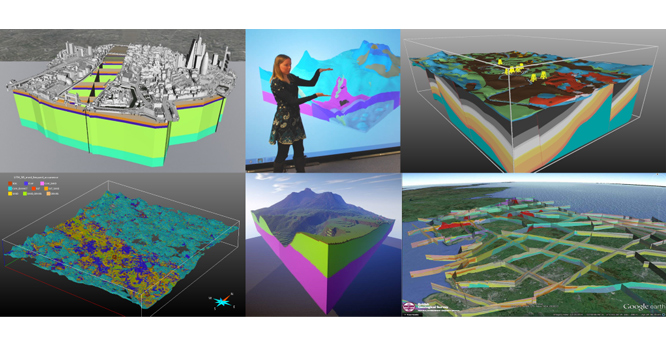

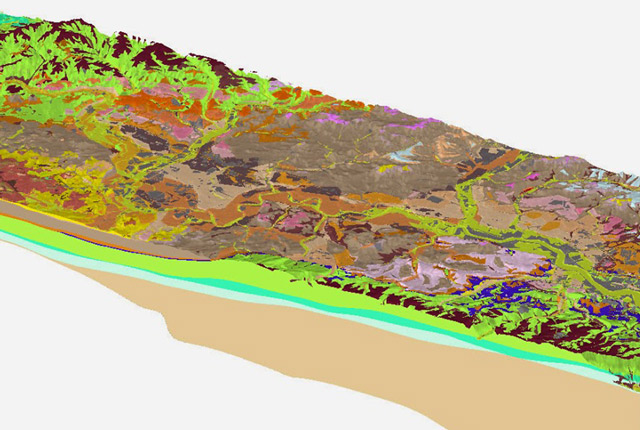
A selection of 3D geological models developed through BGS activities. BGS © UKRI.
Whilst geological models can be tailored to suit specific outcomes and information requirements, our UK3D and LithoFrame models have been designed to provide framework geological characterisations that are consistent with the stratigraphic framing schemes and scales used in BGS geological maps.
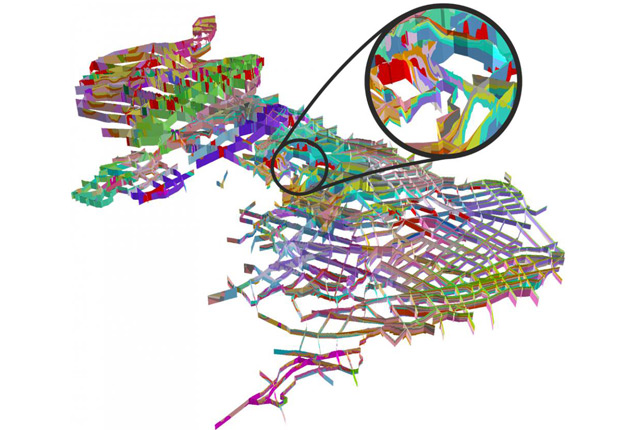
At the national scale, the open-access UK3D dataset provides a framework characterisation of the UK’s 3D geological structure through a network of interconnected cross-sections spanning the UK landmass and complementing BGS Geology 625K.
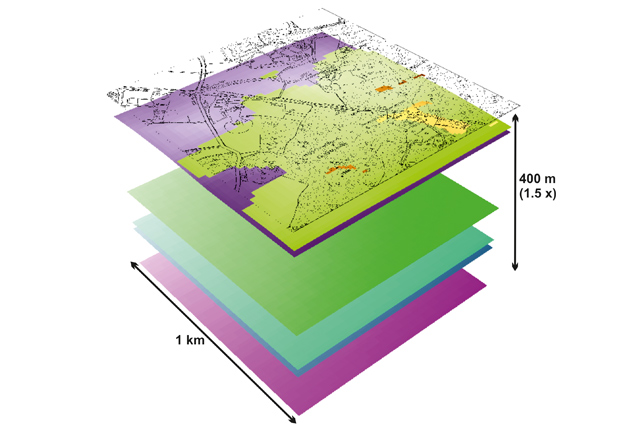
The LithoFrame models are available at scales ranging from regional (1:250 000) to local (1:10 000) and cover a range of urban areas, infrastructure corridors, catchments and geological basin areas. Gridded surfaces from BGS LithoFrame models are available for licencing.
A number of sample models are also available for interactive visualisation in the LithoFrame Viewer application. Urban models for selected UK cities can be queried using our open access Urban Interactive Models tool available in the GeoIndex (onshore). Using the tool, you can create virtual boreholes, cross-sections and slices through urban models to visualise the geology in the upper tens to hundreds of meters of the ground.
Using geological models
BGS LithoFrame is a collection of individual models constructed under a range of different project activities undertaken since 2011. Whilst the stratigraphic conventions and scales used in these models are consistent with geological maps, there are some variations in the specifications of individual models (e.g. depth; included units; input data sources). For every model available to licence, an accompanying metadata report details the specification and model development process.
Data from BGS LithoFrame models are delivered as gridded surfaces for the stratigraphic horizons included within the model. Gridded surfaces can be imported into a range of modelling and visualisation software for viewing and analysis, including GIS and 3D geological modelling applications. Standard formats for grids are ASCI and ESRI, but other formats may be available on request. Surfaces are gridded at resolutions consistent with the model scale.
Geological models are developed using a range of input data sources, however, it may not be possible for all the data available for a given area to be incorporated into the model. This may be because of high data densities, such as for borehole data in many urban contexts, or poor data quality. Data selection is a key step in a model development process and details can be found in the accompanying metadata report.
BGS LithoFrame models adopt the stratigraphic conventions and scales consistent with geological maps and geological map data is commonly used as an input to the modelling process. However, inclusion of additional data sources in the modelling process, such as seismic data, mine plans, borehole records and digital terrain models, alongside constraints imposed by modelling algorithms, can result in differences in the distribution of units at the ground surface between the model and the equivalent scale geological map (BGS Geology).
Although open-access data, such as OS Terrain 50, has been used where possible, digital terrain models (DTMs) are third-party data and are not typically supplied with the model data. High-resolution DTMs are usually resampled for use in modelling in order to limit the model size and enable construction. DTMs are typically used at 25, 50, or over 100 m resolution depending on the model scale and extent. Details of the DTM used in model construction and its level of resampling are provided in the model metadata report. It should be noted that when using model data with an alternative DTM, or with a DTM at a different resolution, over/under shoot of unit horizons with the ground surface should be expected.
Building geological models
Most BGS LithoFrame models for the shallow subsurface, including Quaternary and recent deposits and simple (unfaulted) bedrock strata, have been constructed using the GSI3D modelling software.
The GSI3D modelling approach is user-determined (explicit). In the modelling workflow, the geologist constructs a network of cross-sections and coverages outlining the spatial extent of the unit (combined outcrop and subcrop). The geologist interprets directly from borehole and map data in GSI3D and integrates understanding from a wealth of available information captured in reports and records to inform their interpretation. Section and envelope construction is followed by a 3D interpolation using direct triangulation. GSI3D modelling generates a set of 3D ‘shells’ for the geological units included within the model.
Other approaches we use for modelling shallow subsurface strata, including superficial deposits and bedrock, include the use of GOCAD® and the in-house software Groundhog Desktop.
GOCAD can interpolate geological surfaces and structures from a range of input data sources, allowing for integration of geophysical data and mine plans, for example. GOCAD provides capability for modelling complex structures and distributions of heterogeneous geological properties in the shallow subsurface.
Groundhog Desktop (Professional) is a software tool developed by the BGS with capability for rapid, predictive modelling of Quaternary and recent deposits and unfaulted bedrock strata using a simple, rules-based (implicit) approach for geological interpolation.
Most BGS LithoFrame models for the deeper subsurface, including faulted bedrock strata, have been constructed using GOCAD.
The standard GOCAD modelling workflow integrates data from a range of sources, including boreholes and wells, mine plans and seismic picks, as well as cross-section data, geological map linework and structural data. Both observational and interpreted data can be combined to constrain the interpolation of faults and unit horizons.
Other approaches we have employed include the use of PETREL for seismic interpretation and analysis and advanced geological and property modelling, allowing characterisation of deep geological systems in the onshore and offshore UK.
The workflows utilised in the development of BGS LithoFrame models are designed to deliver generalised geological framework interpretations that are suitable for visualisation and analysis and for comparative evaluation of geological observations, interpretations and/or models.
Advanced functions for implicit and volumetric modelling are now available in many geological modelling software tools, including GOCAD and PETREL. Volumetric geological models are useful for enhanced property characterisation and flow modelling and are best applied to specific user contexts.
Access our 3D geology resources
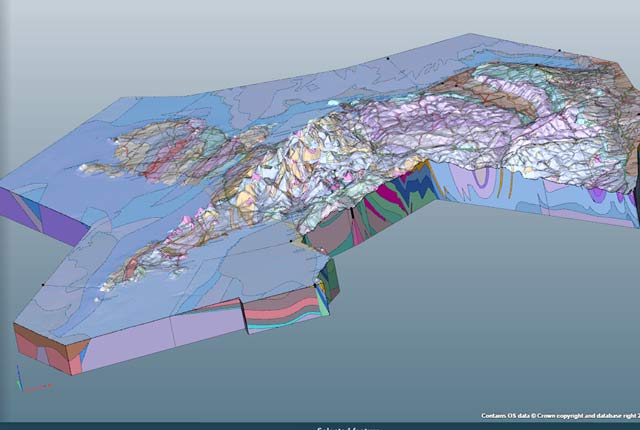
Regional geological visualisation models
Interactive 3D models are available for exploring the geology of regional areas of England, Wales and Northern Ireland.
BGS LithoFrame
Data outputs from 3D geological framework models are available at three different scales for parts of the onshore area of Great Britain.
3D Urban Geology
3D Urban models provide conceptual understanding of the subsurface below our cities to support planning and development.